→
Back
Visi App | New experience to download and manage Virtual Sites
18 de jun. de 2026
The Visi app has received improvements to the Virtual Sites list, making it simpler to view status, perform downloads, identify pending captures, and navigate through your projects on your phone or tablet.
The Visi App has undergone an update in the Virtual Sites management experience, bringing a more intuitive interface to make downloads, track updates and pending captures via mobile device.
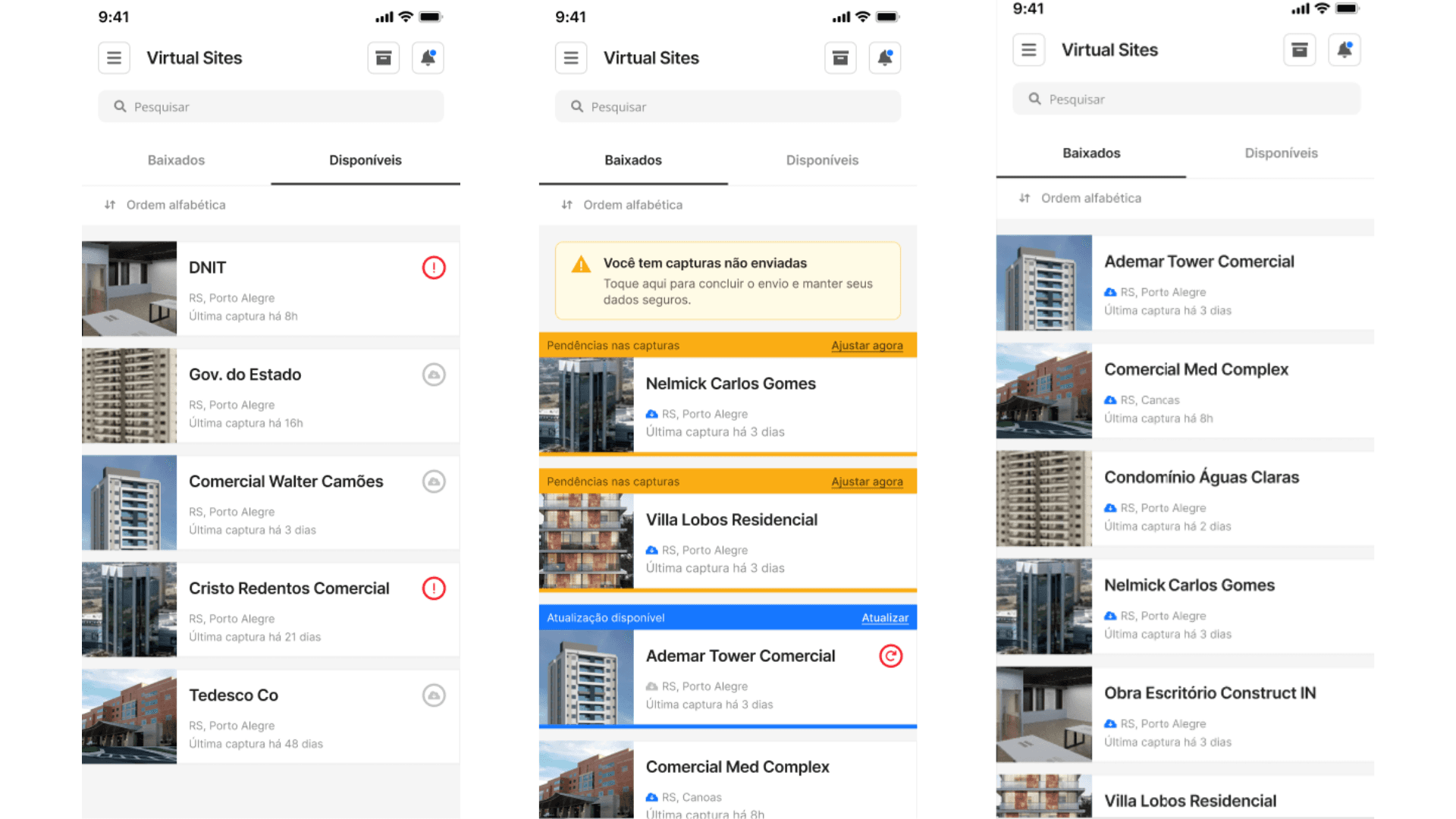
Now, the home screen organizes the Virtual Sites into two tabs: Downloaded and Available for download, making it easier to identify what is already available offline and what still needs to be downloaded for use in the field without the need for internet.
The Virtual Sites cards have also been improved to display different statuses more clearly, such as download in progress, update available, pending captures, or errors during download.
In addition, when an error occurs, simply access the Virtual Site to view more details and understand how to resolve the situation.
Another improvement is in the orientation for new users. When there are no Virtual Sites downloaded or available for download, the application now provides direct access to support materials, helping to start creating and using the platform more easily.
The update also facilitates access to archived Virtual Sites, making navigation more organized for teams managing multiple projects.
Benefits:
View Virtual Sites organized by status more clearly
Quickly identify downloaded projects and those available for download
Track downloads, updates, and pending captures directly on the cards
View details of download errors more easily
Prevent virtual sites from not being downloaded when it's time to use them offline
Navigate more intuitively between active and archived projects
SHARE ON SOCIAL MEDIA