→
Back
Service Verification Sheet | Have more control over the construction with customized SVS
17 de abr. de 2026
Documentation
The Visi checklist has changed: Create more complete verification forms with new response types, adapting to the reality of your construction site and ensuring more agility in quality inspections.
Visi's checklist functionality has evolved and is now called Service Verification Sheet (FVS). This update makes the tool more flexible and aligned with real processes of verification and quality control on site.
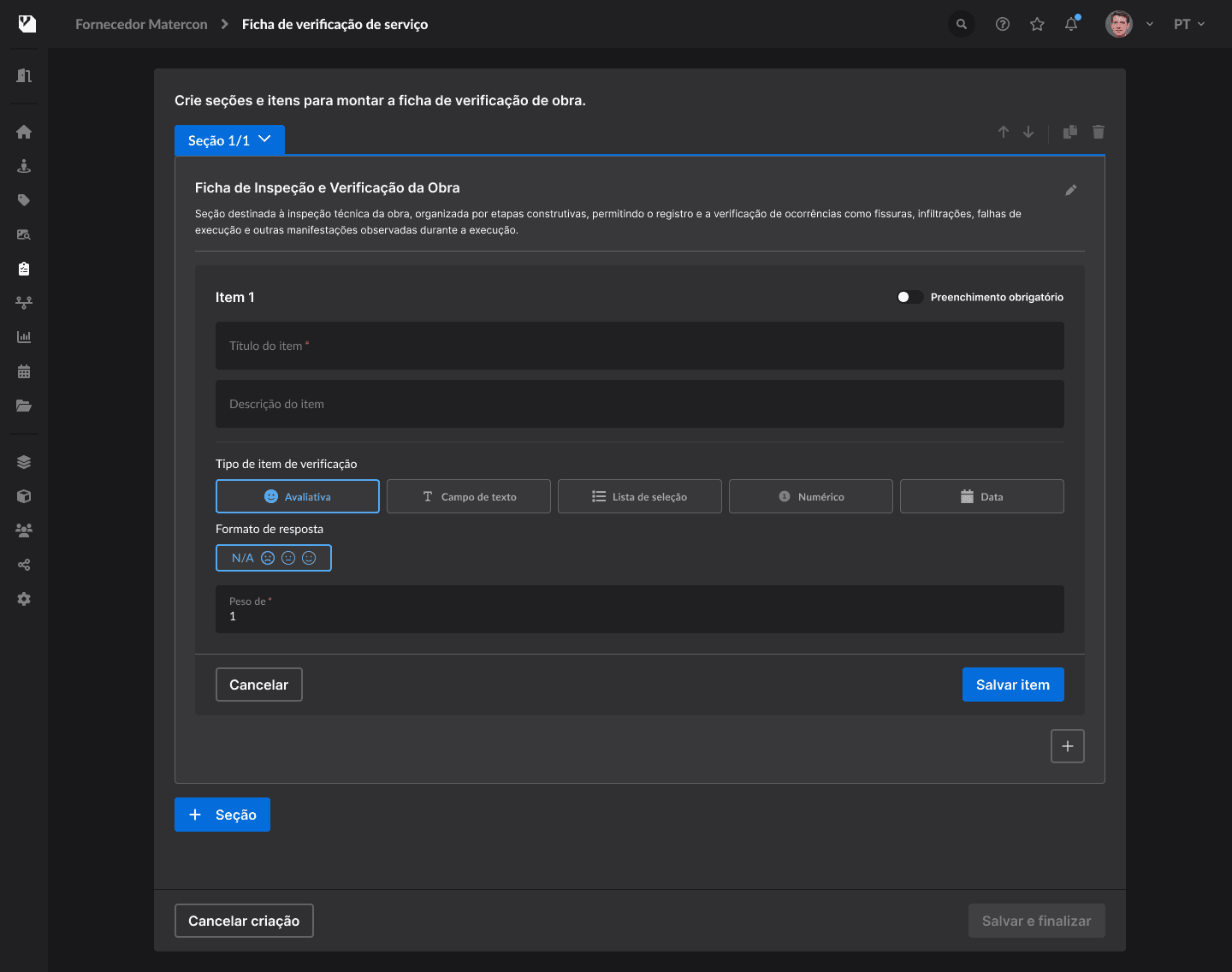
The name change also comes with major improvements in creating even more customized templates. Now, when creating an FVS template, you have new response types, and you can define different formats for each item:
Evaluative (conforming, regular, non-conforming, not applicable)
Text field free for detailed descriptions
Selection list (single or multiple)
Numeric (accepts only numbers)
Date selection
This allows structuring more complete sheets and suited for different types of inspection.
Verification sheets can be applied both through the Web and the application, facilitating direct use at the construction site. During filling out, it is possible to register evidence, add comments and save progress until completion.
Additionally, the FVS remains integrated with the platform's workflow, with centralized data, application history, and report generation, contributing to a more efficient control of the construction's quality.
They can be used in various construction situations, such as:
Quality control of services
Verification of executive stages
Safety inspections
Pending issues registration
Checklists for start and handover of the construction
Benefits:
Customize templates with different response types
Adapt sheets to various stages and processes of the construction
Register more complete and structured information
Apply verifications via cell phone or computer, including offline
Centralize inspection data and history in one single place
Generate organized reports for quality tracking
SHARE ON SOCIAL MEDIA