→
Back
360° images in high and low resolution | Load your construction site records faster
27 de fev. de 2026
With the new high and low-resolution preview feature, you have full control over how you want to view your 360° images, balancing speed and quality according to your needs.
360° images are an essential part of documenting your construction site with Visi, but we know that, in the field, the internet does not always keep up with the pace of the construction site.
With this in mind, we launched a new high and low resolution visualization feature, which puts the control between speed and image quality in your hands. This new feature allows you to:
Navigate much faster between 360° images
Save mobile data on site
Use low resolution for an overview
Switch to high definition when you need to analyze details
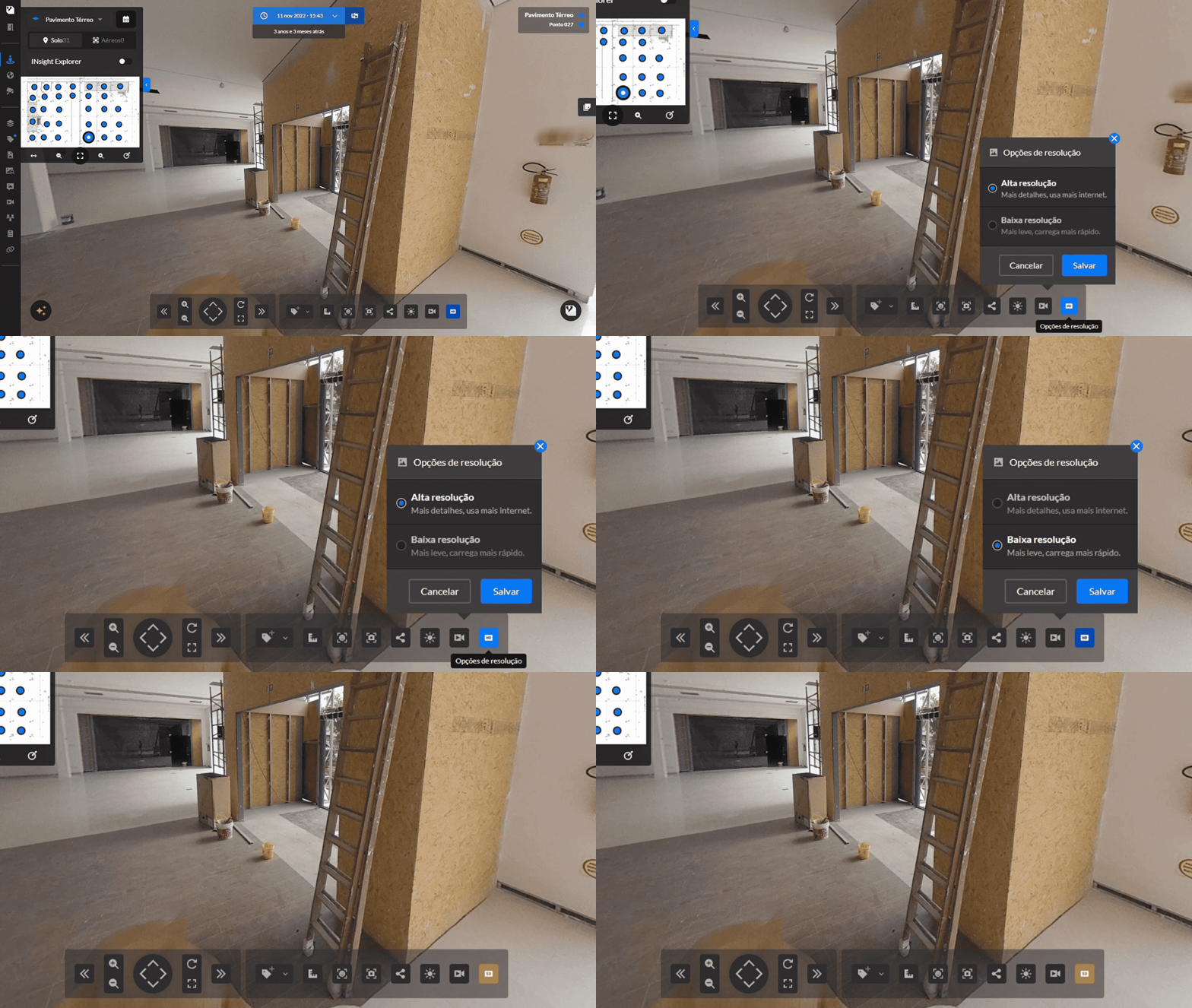
When opening a 360° image in the Viewer, it remains available in high definition (HD), but you can switch to low definition (SD) at any time using the icon in the toolbar.
SD (Low Resolution) → Loads faster and consumes less internet
HD (High Resolution) → Ideal for inspections and detailed analyses
The feature is now available on both Web and Mobile versions, as well as for ground-level and aerial 360° images.
SHARE ON SOCIAL MEDIA